> ## Documentation Index
> Fetch the complete documentation index at: https://docs.bringyourai.com/llms.txt
> Use this file to discover all available pages before exploring further.
# Changelog
## Web Extension 1.4.1 – Context Chip Preview Improvements
* Fixed an issue on X.com that prevented copying from a context chip preview. Might help on other sites too.
* Pressing `Ctrl/Cmd + A` inside a context chip preview now selects only the code, not the entire page, for faster copying.
## Web Extension 1.4.0 – Browser Tab Screenshots
* You can now take screenshots of browser tabs and attach them to your chat. To do this, click the small camera button next to any browser tab option.
* You can now add all browser tabs at once.
* Internal browser tabs (like the new tab page) are no longer shown, as they can't be scraped anyway.
* Fixed an issue that prevented the extension from working on HTTP sites.
* Fixed a minor bug affecting the display of browser tab URLs in the popover.
* Added additional default ignore patterns.
## VSCode Extension 1.1.0 – Multi-Format Document Extraction
* Added support for scraping content from PDF, DOCX, PPTX, XLSX, ODT, ODP, and ODS files.
* Unsupported binary files no longer appear in "Visible Editors" or "All Open Tabs".
* Added additional default ignore patterns.
## Web Extension 1.3.0 – Context7 Library Docs
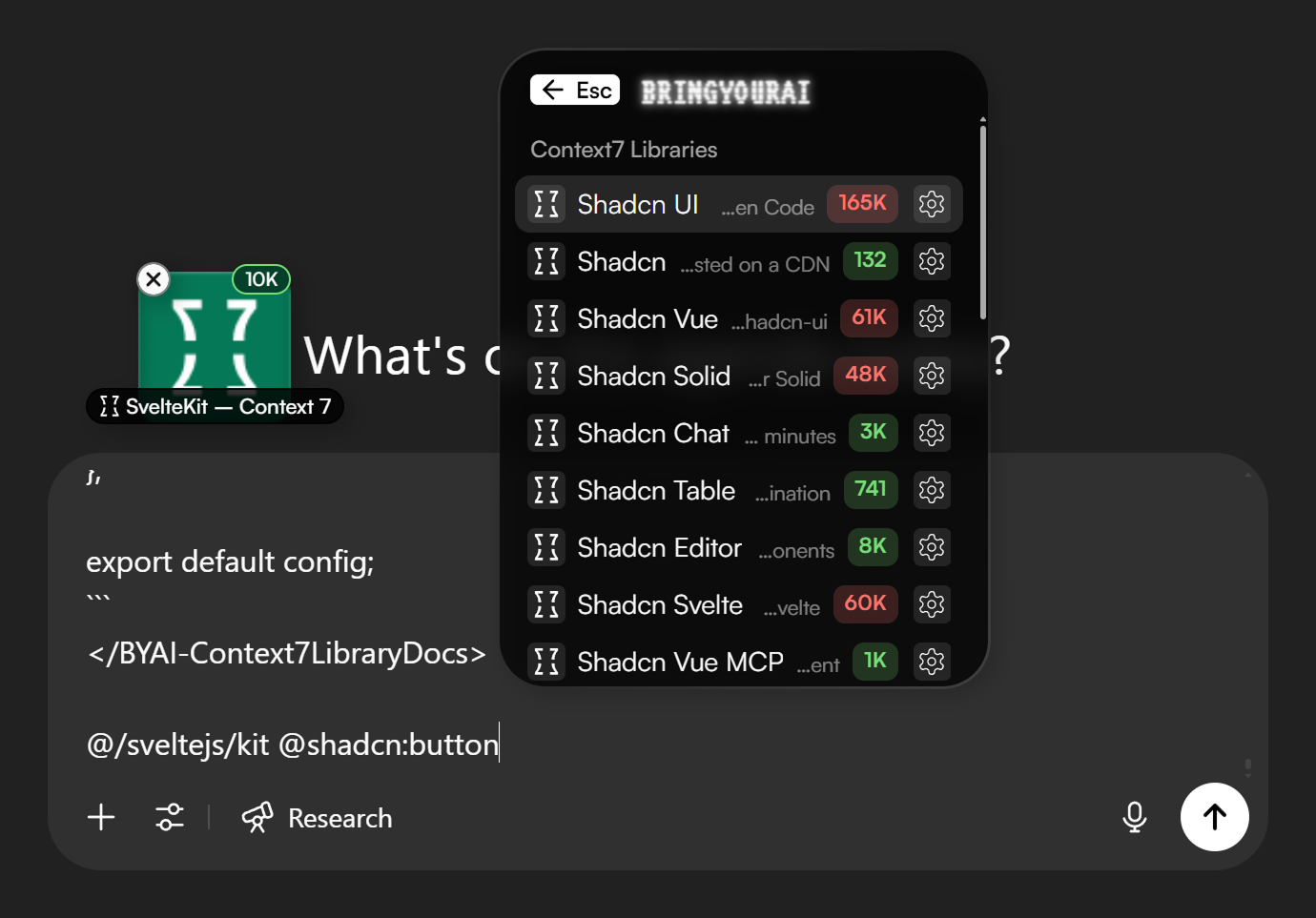
You can now search for and attach Context7 library docs. [Context7](https://context7.com) is a large collection of LLM-optimized library documentation that also allows you to semantically search for specific topics, so you don’t have to include everything or worry about token limits.
These extra settings are accessible via the small button on the right of each Context7 search result. To go even faster, you can append settings directly to your search query using colons, while having your desired docs option focused and pressing Enter. For example:
`@sveltekit:routing:20000`
In this format, the string after the first colon is the topic, and the number after the second colon is the token limit. By default, the token limit is 10,000.
To quickly attach the full documentation, just add `:full` to your query, like this:
`@sveltekit:full`
* And fixed an annoying issue where the currently selected popover command item loses focus when any browser tab title changes.
 ## Web Extension 1.2.0 – GitHub Repositories
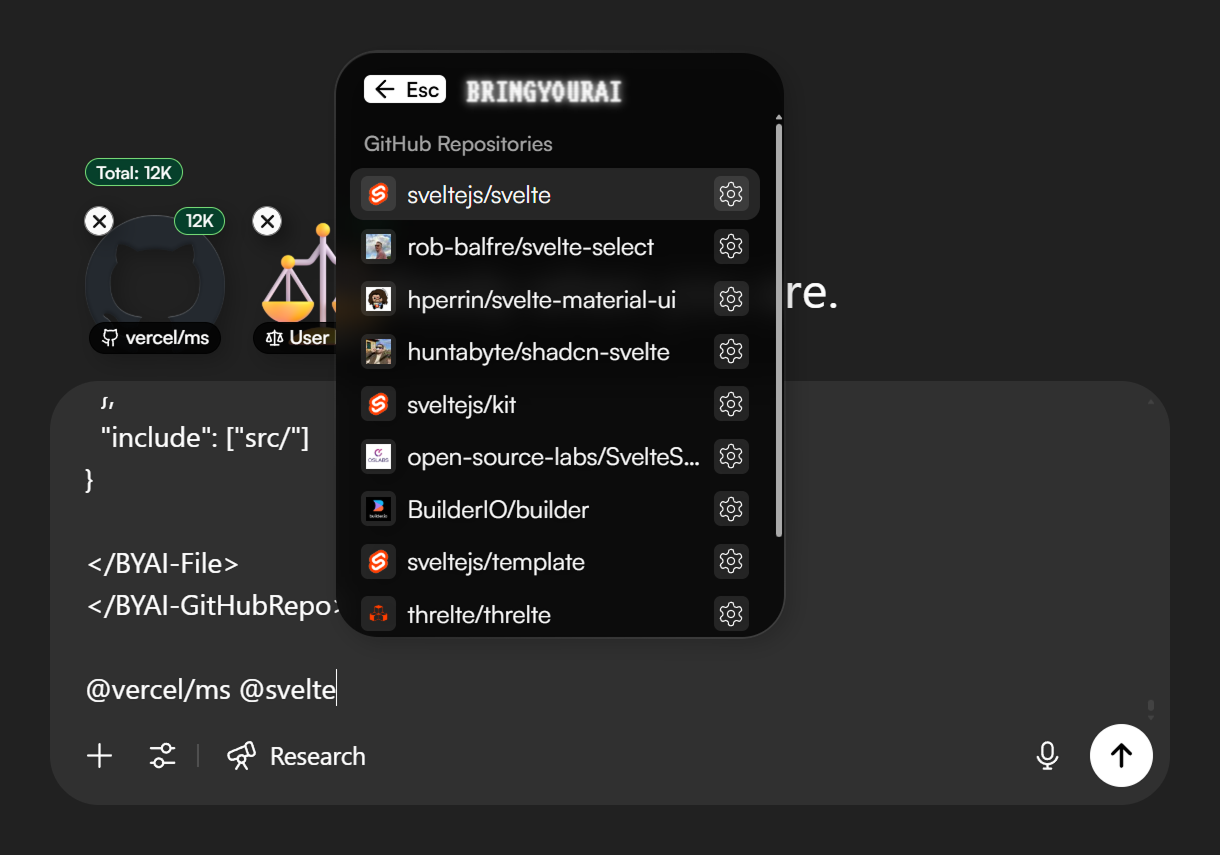
* You can now search for and attach entire GitHub repositories from the popover, including private ones when you’re signed in to the GitHub account that has access to them in that browser. You can also select any branch you need.
* Fixed a small issue with trigger chars that are longer than 1 character.
* Fixed a small issue where folder context chip previews in chat history wouldn't have a path.
* Fixed a rare token counting issue.
## Web Extension 1.2.0 – GitHub Repositories
* You can now search for and attach entire GitHub repositories from the popover, including private ones when you’re signed in to the GitHub account that has access to them in that browser. You can also select any branch you need.
* Fixed a small issue with trigger chars that are longer than 1 character.
* Fixed a small issue where folder context chip previews in chat history wouldn't have a path.
* Fixed a rare token counting issue.
 ## VSCode Extension 1.0.9
* Fixed a rare token counting issue.
* Adjusted default file reading limits and now clearly indicates to the AI when a file is truncated.
* Added some more default ignore patterns.
## Web Extension 1.1.1
* @-Mentioning browser tabs is now more efficient and uses fewer tokens.
* Fixed a bug where the content of a context chip sometimes wouldn't be removed from the input when clicking the "X" on the chip. This happened more frequently with browser tabs.
* Fixed a bug where the text cursor wasn't positioned correctly after adding a browser tab immediately after granting permissions for it.
## Web Extension 1.1.0 – Browser Tabs
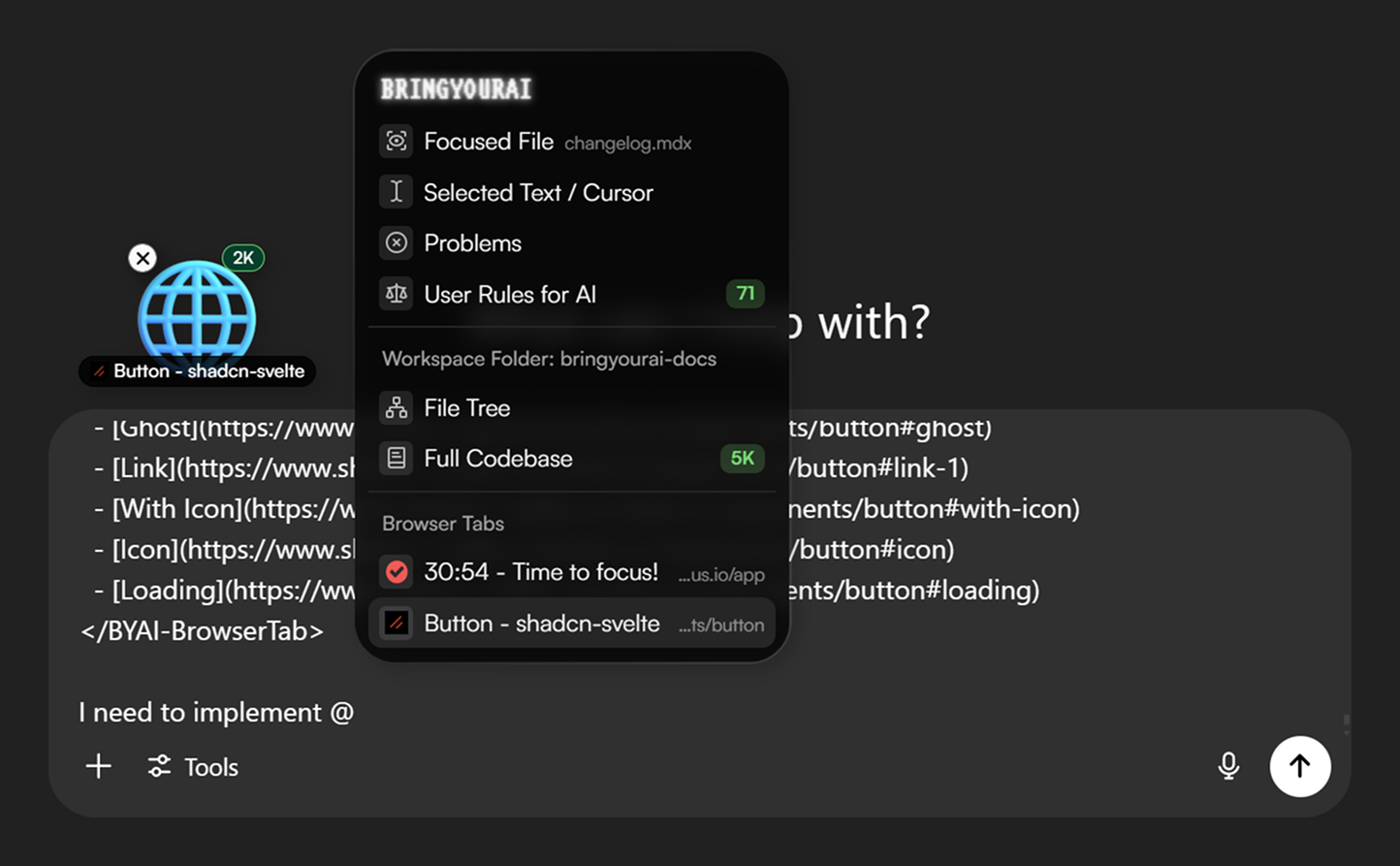
* You can now @-mention your open browser tabs. Great for pulling in docs or any other context from your browser.
* Added a "Disable" button to the popup, allowing you to quickly disable BringYourAI on a website.
## VSCode Extension 1.0.9
* Fixed a rare token counting issue.
* Adjusted default file reading limits and now clearly indicates to the AI when a file is truncated.
* Added some more default ignore patterns.
## Web Extension 1.1.1
* @-Mentioning browser tabs is now more efficient and uses fewer tokens.
* Fixed a bug where the content of a context chip sometimes wouldn't be removed from the input when clicking the "X" on the chip. This happened more frequently with browser tabs.
* Fixed a bug where the text cursor wasn't positioned correctly after adding a browser tab immediately after granting permissions for it.
## Web Extension 1.1.0 – Browser Tabs
* You can now @-mention your open browser tabs. Great for pulling in docs or any other context from your browser.
* Added a "Disable" button to the popup, allowing you to quickly disable BringYourAI on a website.
 ## Web Extension 1.0.5
* Fixed minor overflow styling issue on context chips in chat history.
* Minor text adjustments inside the popover.
## VSCode Extension 1.0.8
The search results inside the web popover are now properly synchronized with your `.gitignore` and custom ignore patterns. You no longer need to restart VSCode after changing your ignore preferences.
# Web & VSCode extension launch!
## Web Extension 1.0.5
* Fixed minor overflow styling issue on context chips in chat history.
* Minor text adjustments inside the popover.
## VSCode Extension 1.0.8
The search results inside the web popover are now properly synchronized with your `.gitignore` and custom ignore patterns. You no longer need to restart VSCode after changing your ignore preferences.
# Web & VSCode extension launch!